
Are you looking to import posts from your Medium blog to WordPress? Whether you want to handle the process manually without plugins or use a tool to automate it, this guide covers both approaches. By the end of this post, your Medium content will be live on your WordPress site.
Why Move from Medium to WordPress?
Medium is an excellent platform for writers, but WordPress provides greater flexibility and control. Here’s why moving to WordPress is a smart choice:
-
- Custom Design: Create a unique look and feel for your blog.
-
- SEO Optimization: Improve your blog’s visibility and discoverability.
-
- Monetization: Earn income through ads, affiliate marketing, or e-commerce.
Let’s see how to bring your Medium posts from https://medium.com/@nusratjnabila1 to https://nusratjahannabila.com/.
Method 1: Import Medium Posts into WordPress Without Plugins (Using RSS Feed)
If you don’t want to use a plugin, Medium’s RSS feed is a simple way to import your posts into WordPress.
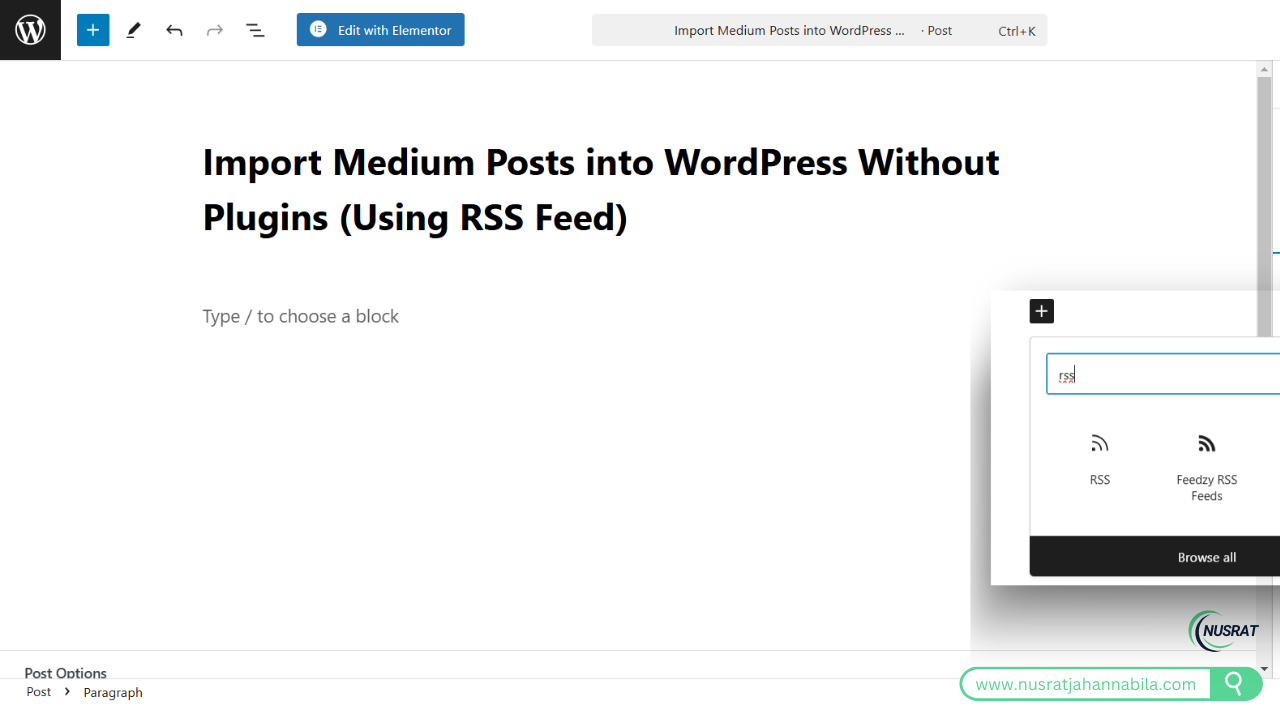
Step 1: Find Your Medium RSS Feed
Medium automatically generates an RSS feed for every profile. Follow these steps to locate yours:
-
- Go to your Medium profile: https://medium.com/@nusratjnabila1.
2. Add /feed to the end of your profile URL. For example:
https://medium.com/feed/@nusratjnabila1
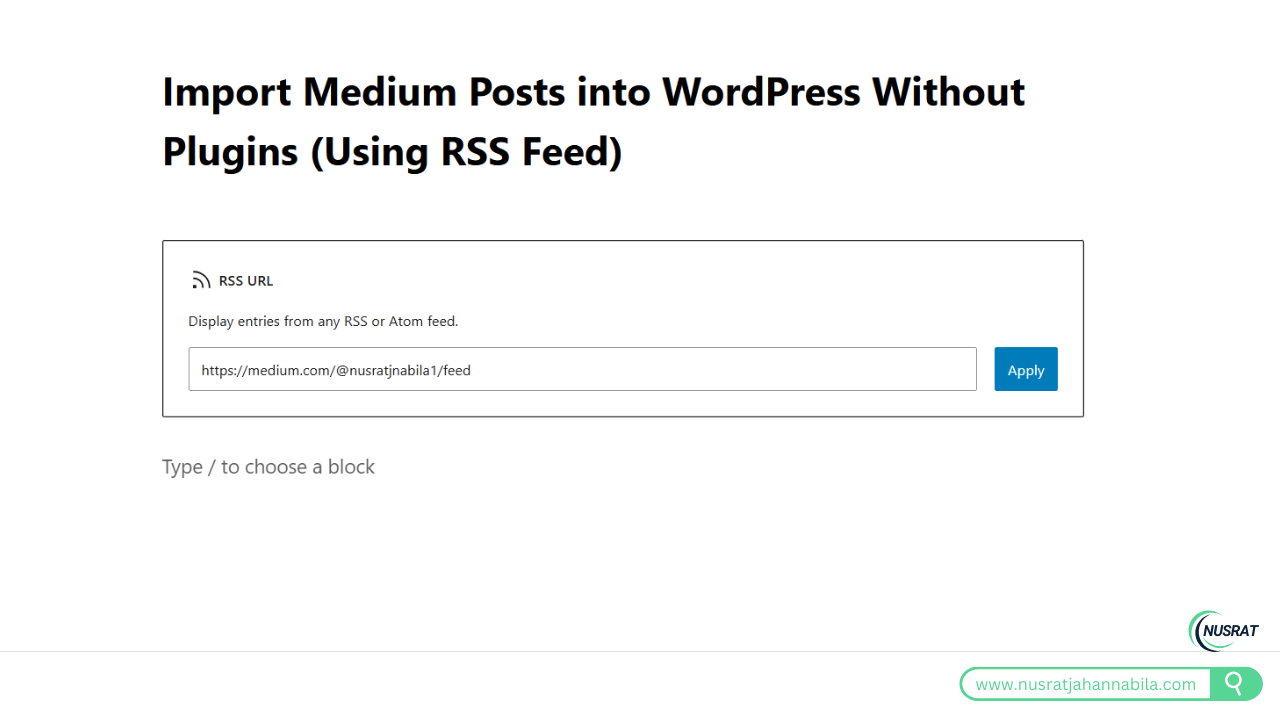
Step 2: Import the RSS Feed into WordPress
WordPress has a built-in RSS feed importer. Follow these steps:
-
- Access the WordPress Dashboard
Log in to your WordPress admin panel (e.g., https://nusratjahannabila.com/) and navigate to Tools > Import.
- Access the WordPress Dashboard
-
- Install the RSS Importer
Click Install Now under the “RSS” option if it’s not already installed.
- Install the RSS Importer
-
- Run the Importer
After installation, click Run Importer.
- Run the Importer
-
- Enter Your Medium RSS Feed URL
Copy your Medium RSS feed URL (e.g., https://medium.com/@nusratjnabila1/feed) and paste it into the RSS importer tool.
- Enter Your Medium RSS Feed URL
-
- Complete the Import
WordPress will fetch your posts from Medium and display them on your WordPress site.
- Complete the Import
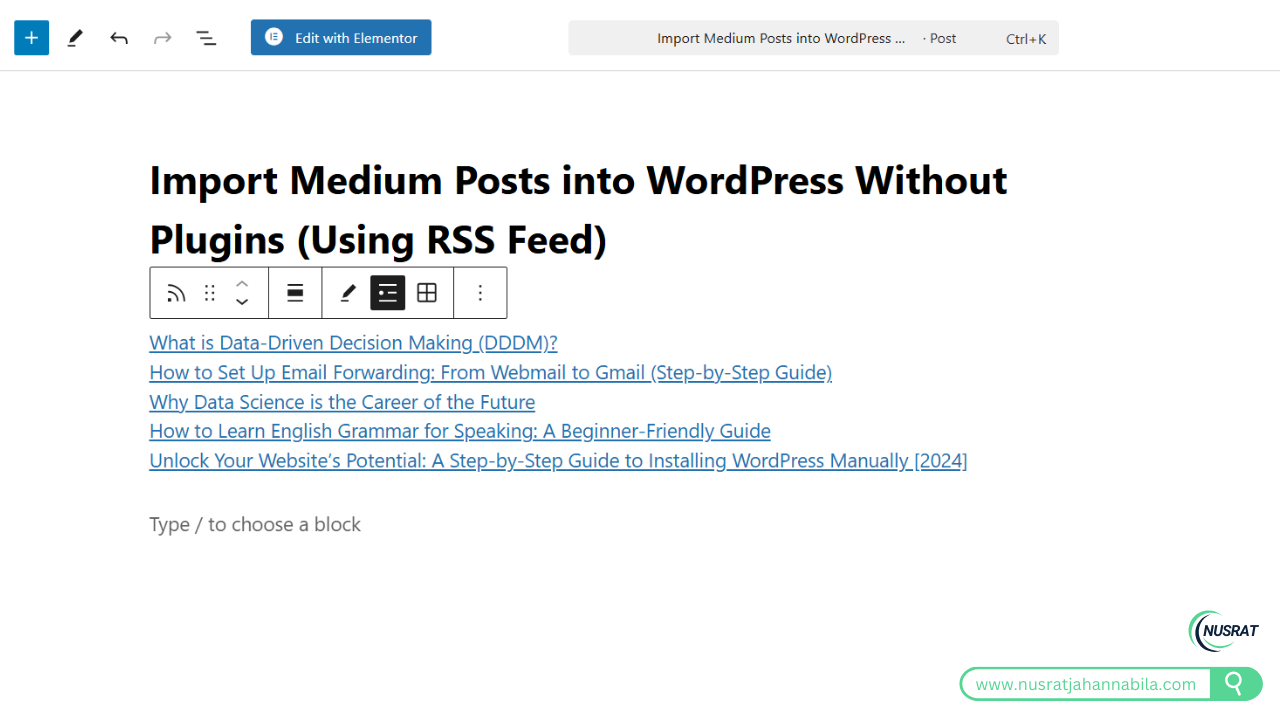
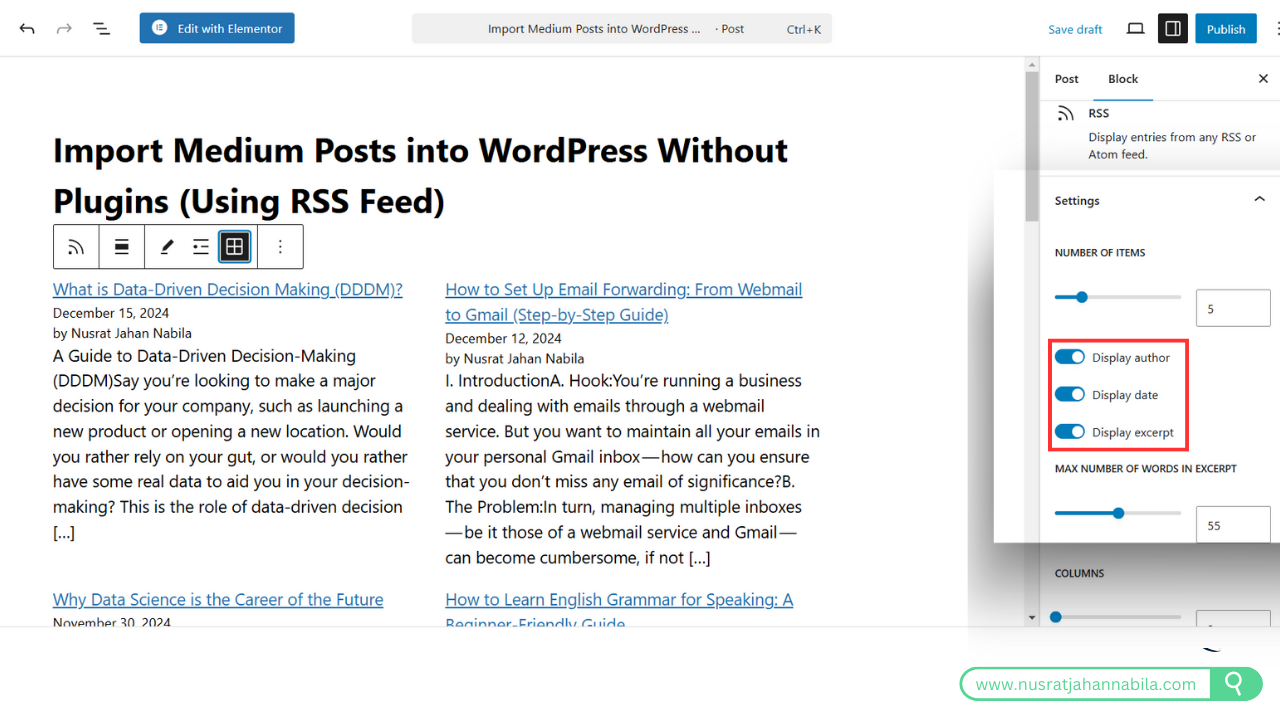
Step 3: Review Imported Posts
Once the import is complete:
-
- Go to Posts > All Posts in the WordPress dashboard to view the imported content.
-
- Edit and format the posts to ensure they look polished.
Method 2: Import Medium Posts into WordPress Using a Plugin
For a quicker and easier solution, use a plugin like Feedzy RSS Feeds.
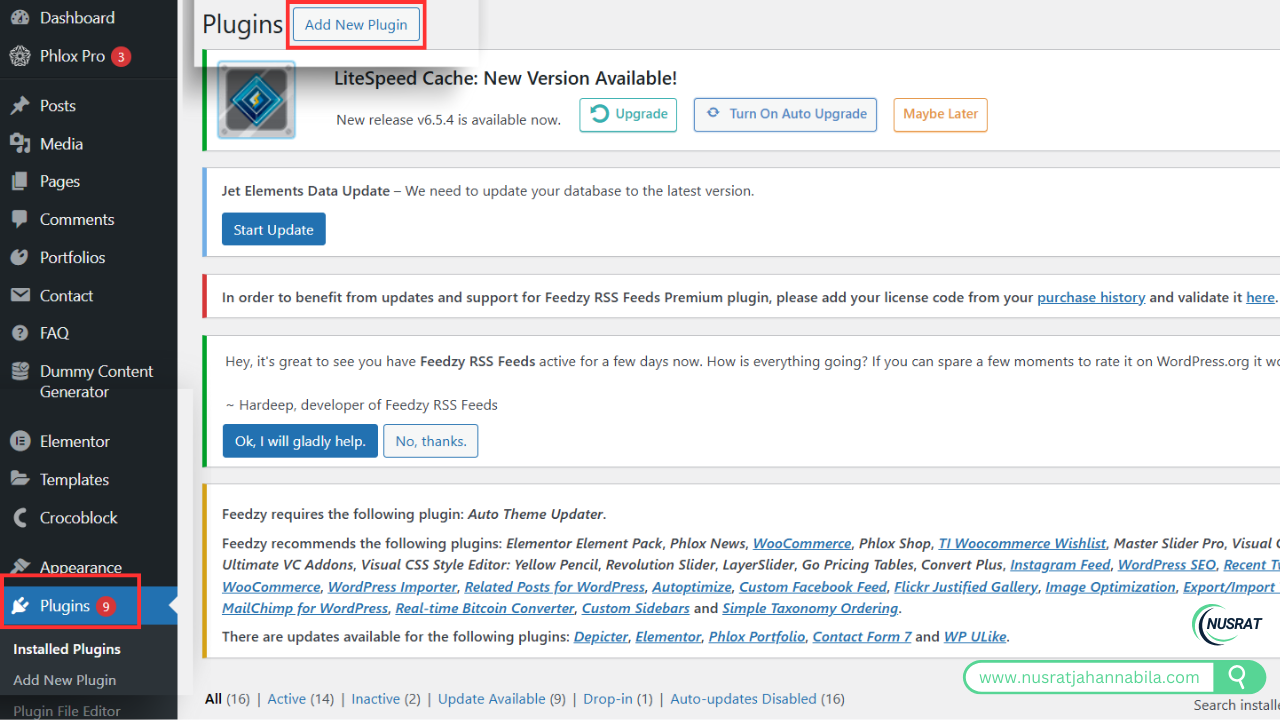
Step 1: Install Feedzy RSS Feeds Plugin
-
- Open your WordPress dashboard and go to Plugins > Add New.
-
- Search for Feedzy RSS Feeds in the search bar and click Install Now.
-
- Activate the plugin after installation.
Step 2: Add Your Medium RSS Feed URL
-
- Visit your Medium profile: https://medium.com/@nusratjnabila1.
Add /feed to the URL to get your RSS feed:
https://medium.com/@nusratjnabila1/feed
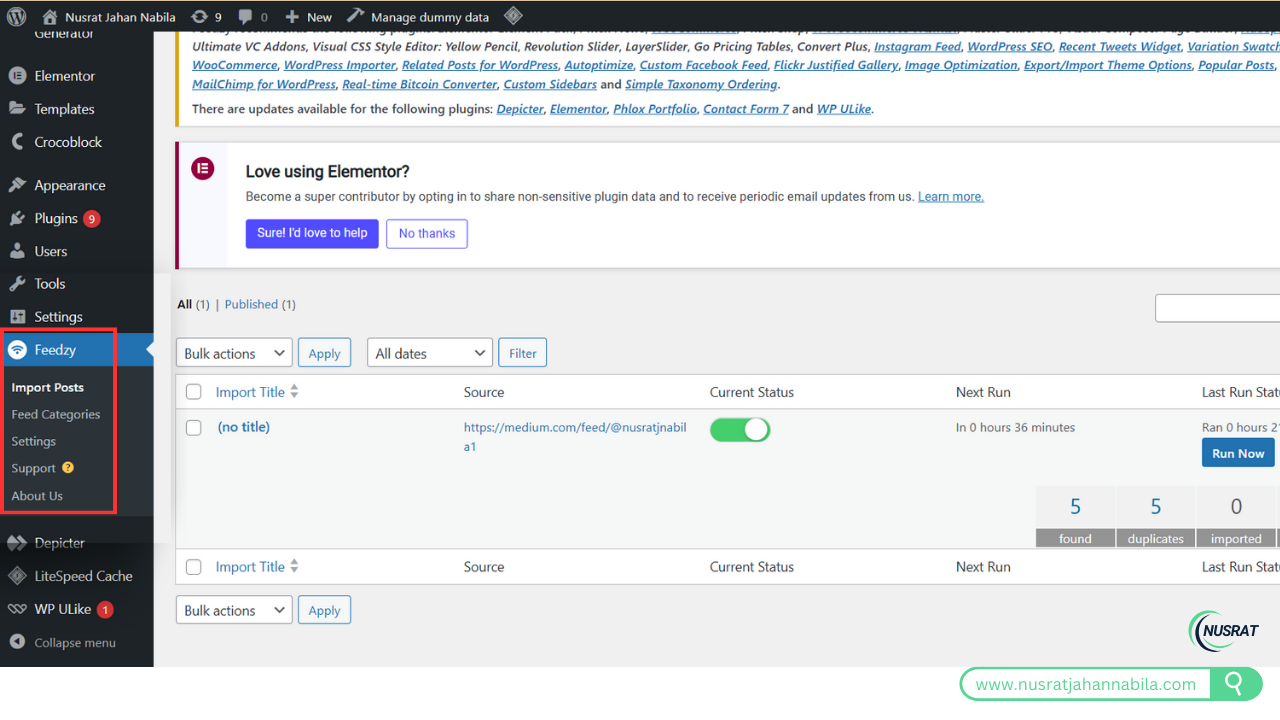
Step 3: Configure Feedzy
-
- Navigate to Feedzy > Add Feed in your WordPress dashboard.
-
- Paste the Medium RSS feed URL (e.g., https://medium.com/@nusratjnabila1/feed) into the Feedzy configuration.
-
- Set your preferences:
-
- Choose the number of posts to import.
-
- Select whether to fetch full posts or excerpts.
-
- Adjust formatting options like adding images or assigning categories.
-
- Set your preferences:
-
- Save and Import
Once your settings are saved, Feedzy will begin importing your Medium posts to WordPress.
- Save and Import
Step 4: Automate the Process
Feedzy allows you to schedule automatic updates to import new Medium posts whenever they’re published.
Tips for a Smooth Transition
-
- Check Formatting: After importing, review your posts for formatting issues, such as broken images, headings, or links.
-
- Set Up Redirects: Use 301 redirects to point Medium URLs to your WordPress posts to maintain SEO rankings.
-
- Preview Your Site: Check your WordPress site to ensure all content displays as expected.
Conclusion
Bringing your Medium posts to WordPress is simple and effective. Using the RSS feed from https://medium.com/@nusratjnabila1, you can manually import your posts. Alternatively, plugins like Feedzy RSS Feeds can automate the process and save time.
Start your WordPress journey today at https://nusratjahannabila.com/ and enjoy the benefits of more customization, flexibility, and monetization options!