
Here are the steps on how to transfer a blog post from WordPress to Medium but also reference a link to a blog post back to WordPress.
How to Move Your WordPress Blog Post to Medium with a Link
Copy the WordPress Post Link
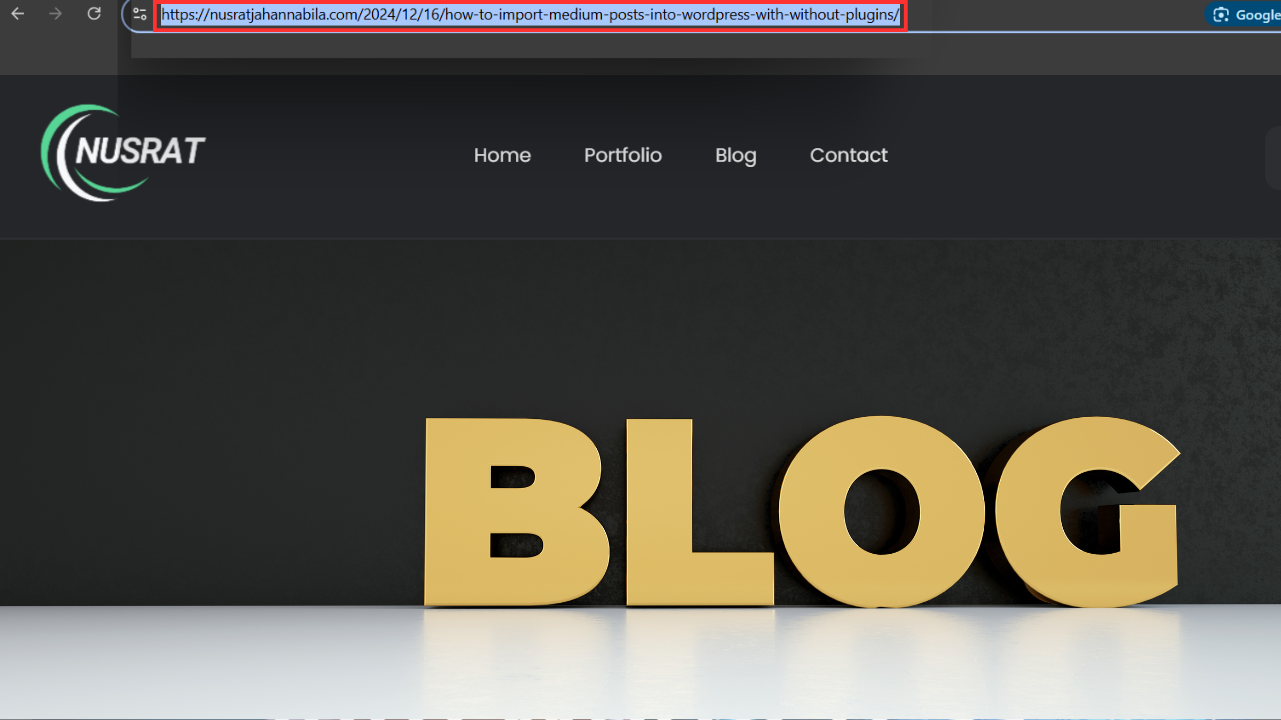
- Go to your WordPress post and copy its URL. Use, for example: Import Medium Posts into WordPress. You will use this link in your Medium post.
Import the Post to Medium
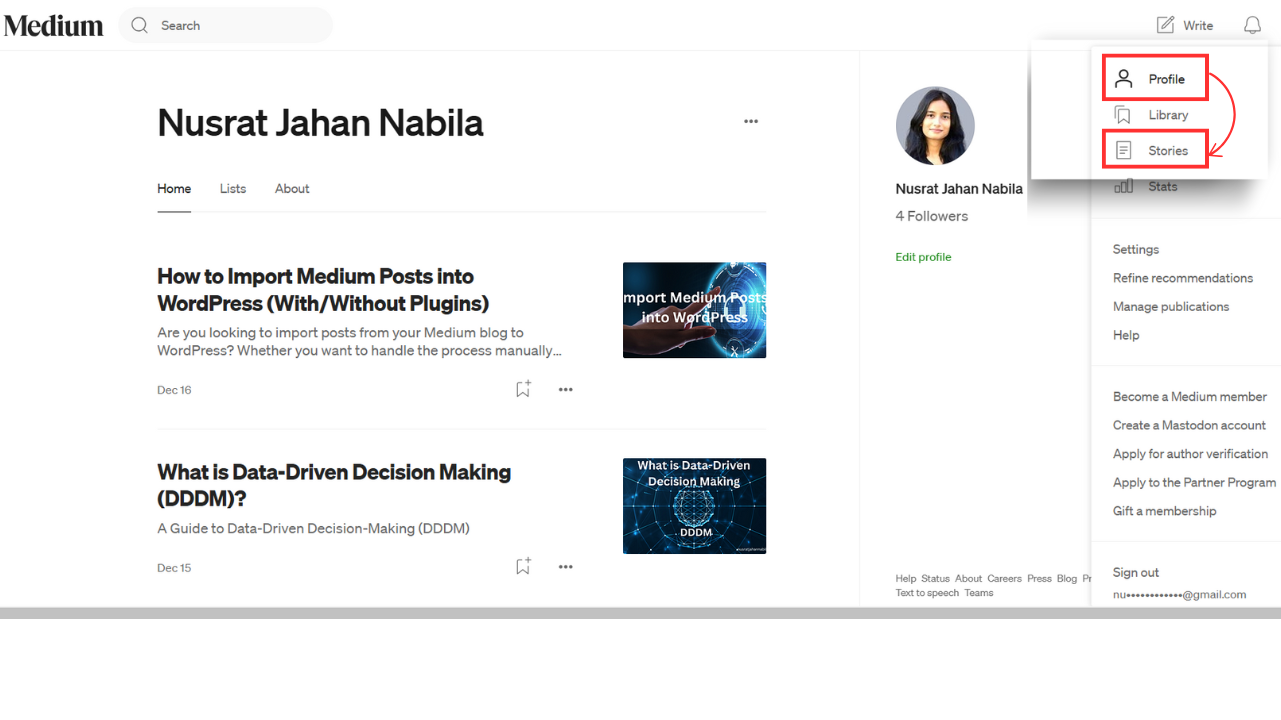
- Sign in to your Medium account (e.g., @nusratjnabila1).
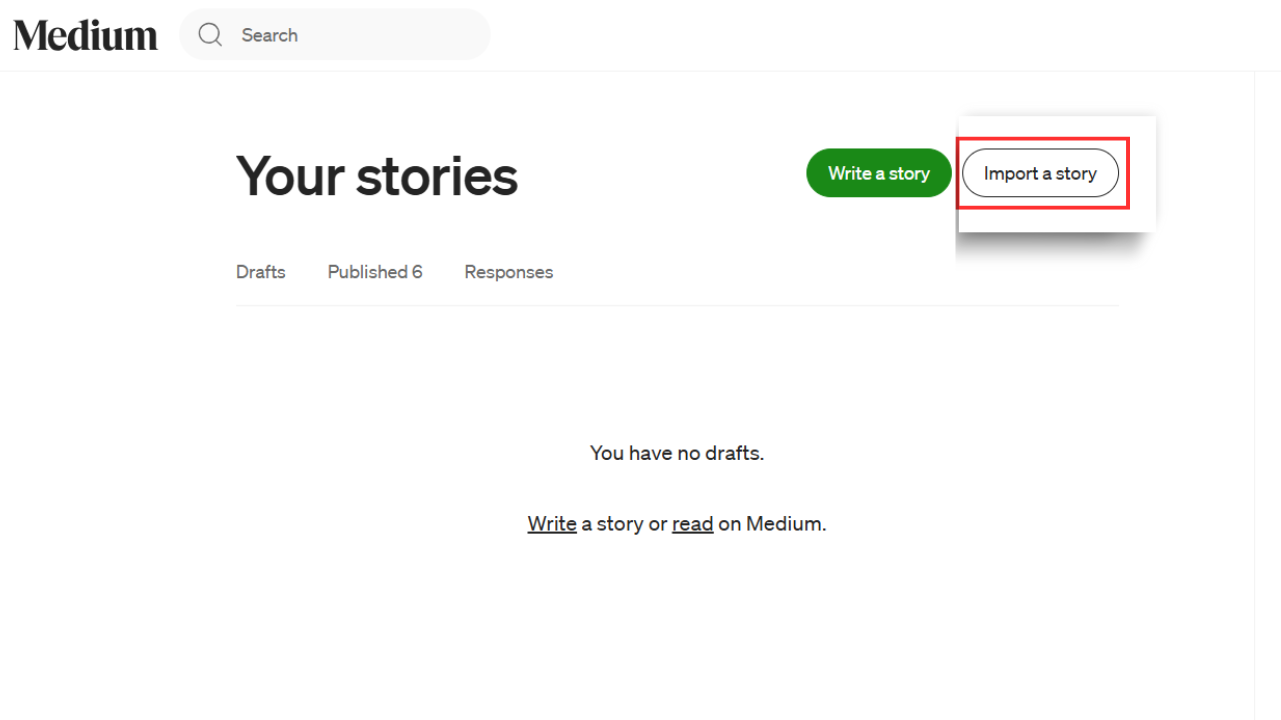
- Go to your profile picture > Click it > Select “Stories”.
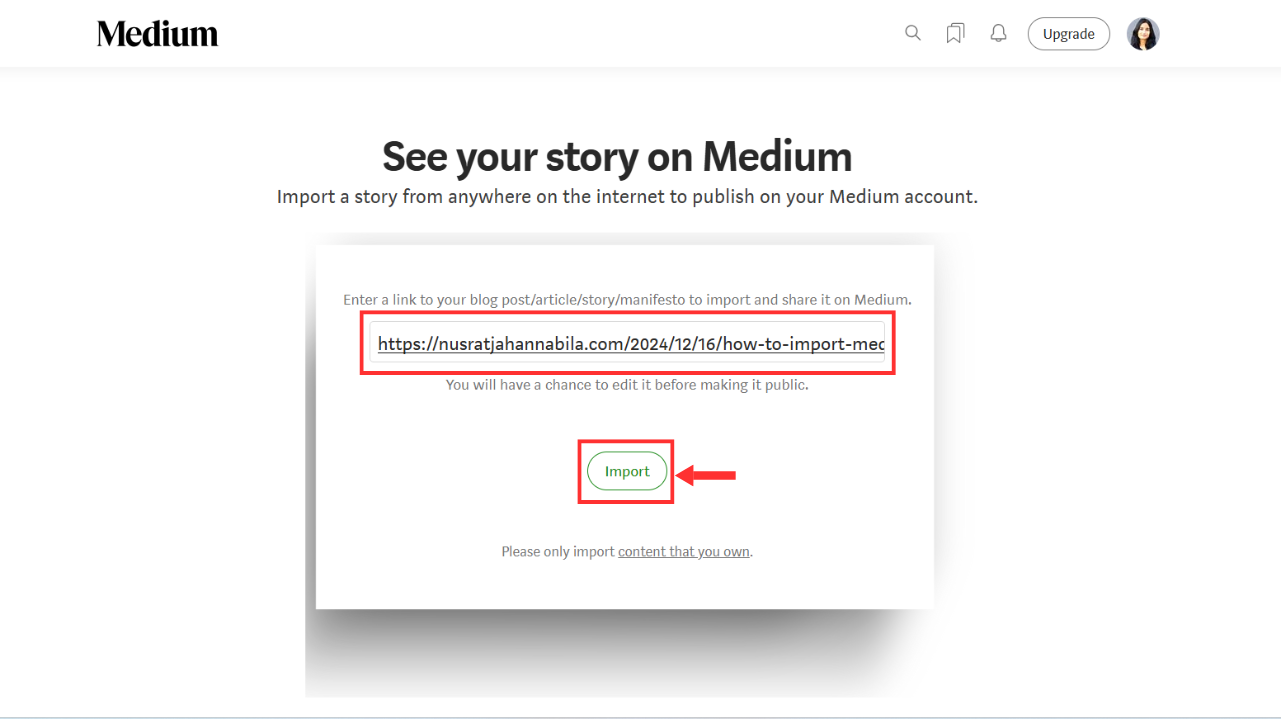
- If you click “Import a Story”, you’ll see the field for entering the URL of your WordPress blog post. It will automatically load the content for you and make HTML what is needed.
Include a Link Back to the Original Post
- At this point, edit the story inside Medium.
- At the start or end of the post, add a note like:
“This was previously published on nusratjahannabila.com.”
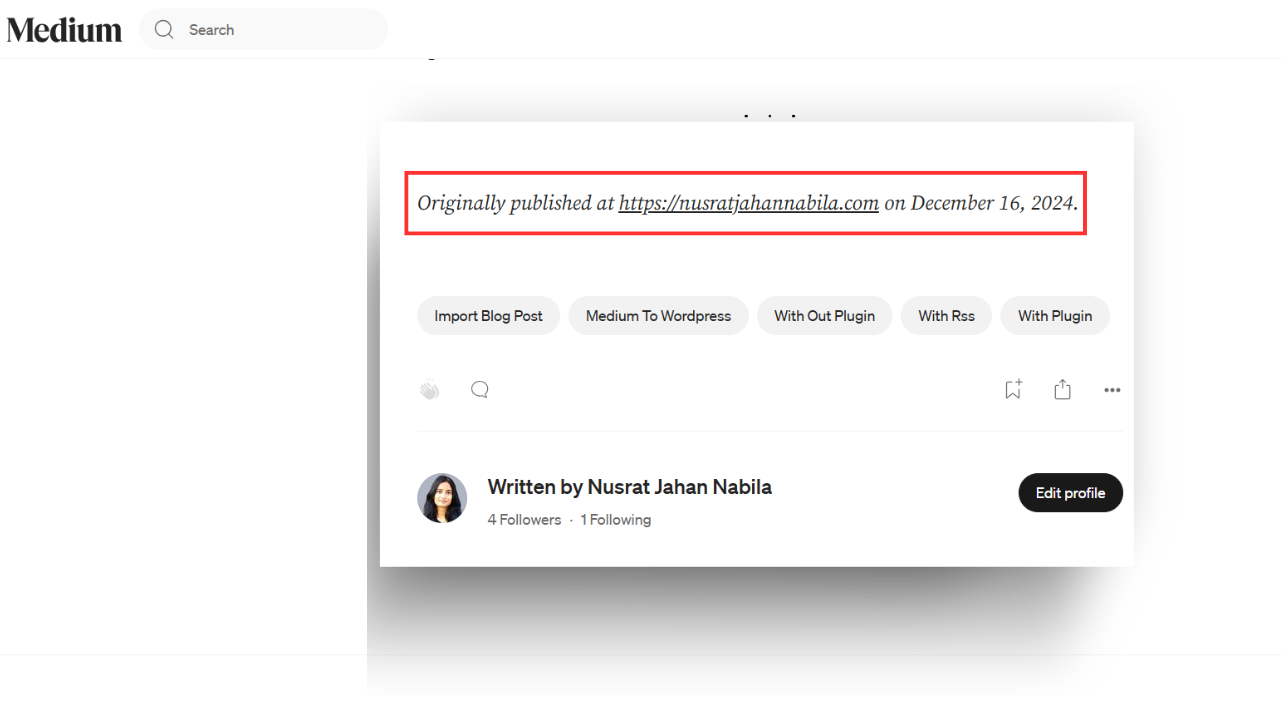
- It also keeps readers informed on the original location of the content, as well as helping drive traffic back to your WordPress site.
Optimize for SEO
- Check for consistency and formatting; pay extra attention to structure.
- Incorporate keywords organically in the title, headings, and body of the content.
Publish on Medium
- When you’re done editing, publish the story in your profile on Medium (@nusratjnabila1).
- Confirm that the link back to your WordPress post is functioning properly.
Optional: Use Canonical Links
- If you wish for search engines to see your WordPress post as the original source (to avoid duplicate content problems), set a canonical link in Medium:
- Before publishing, head to Advanced Settings.
- Use the canonical link with your WordPress URL (https://nusratjahannabila.com/…).
Following this tip, you can successfully move your blog post from WordPress to Medium with attribution and SEO benefits.